1. Open home.waltrex.io and "Login"
2. Once inside your Dashboard, click on "Add New Wallet"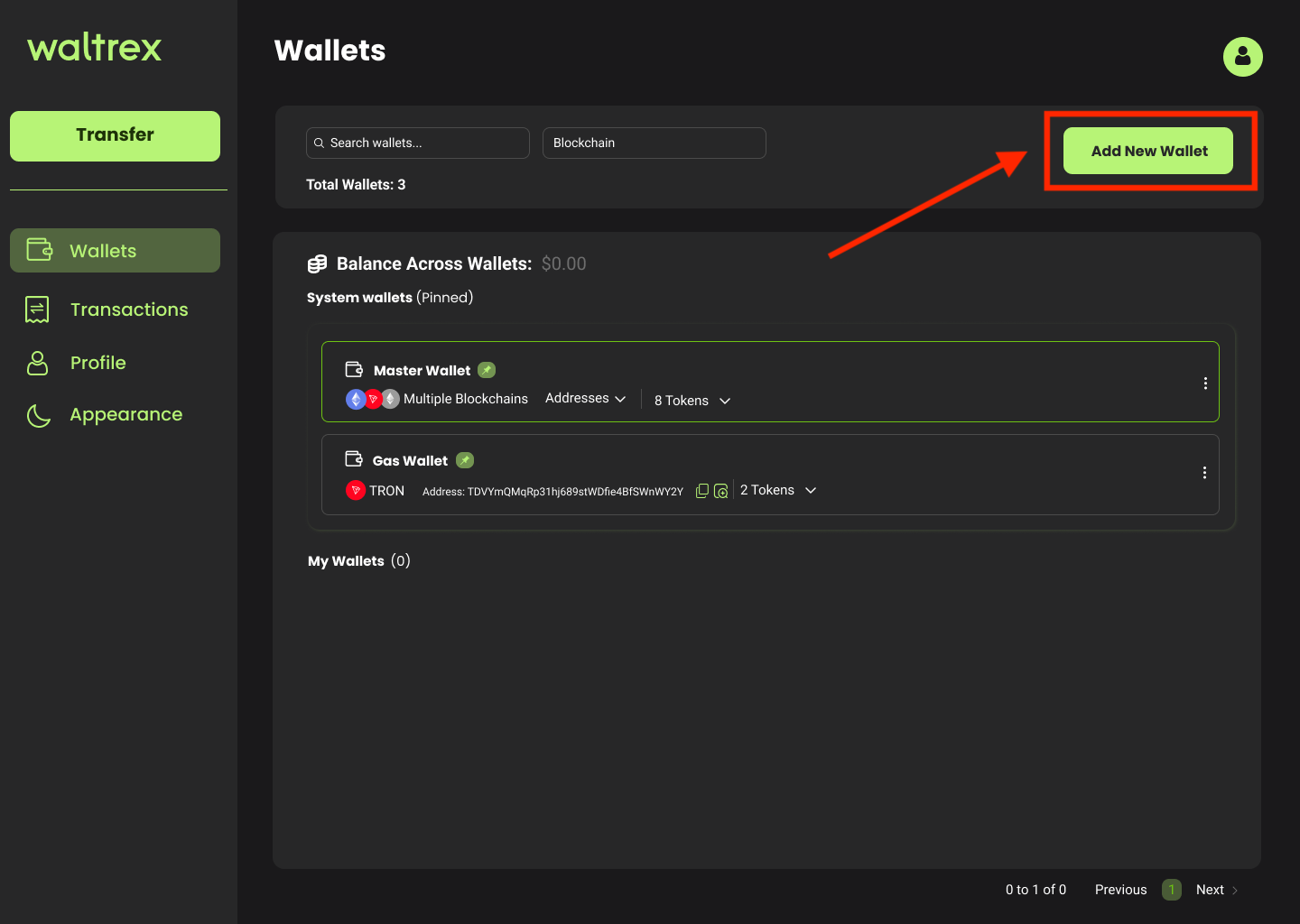
3. On the "Wallet Name" field, enter a name for this wallet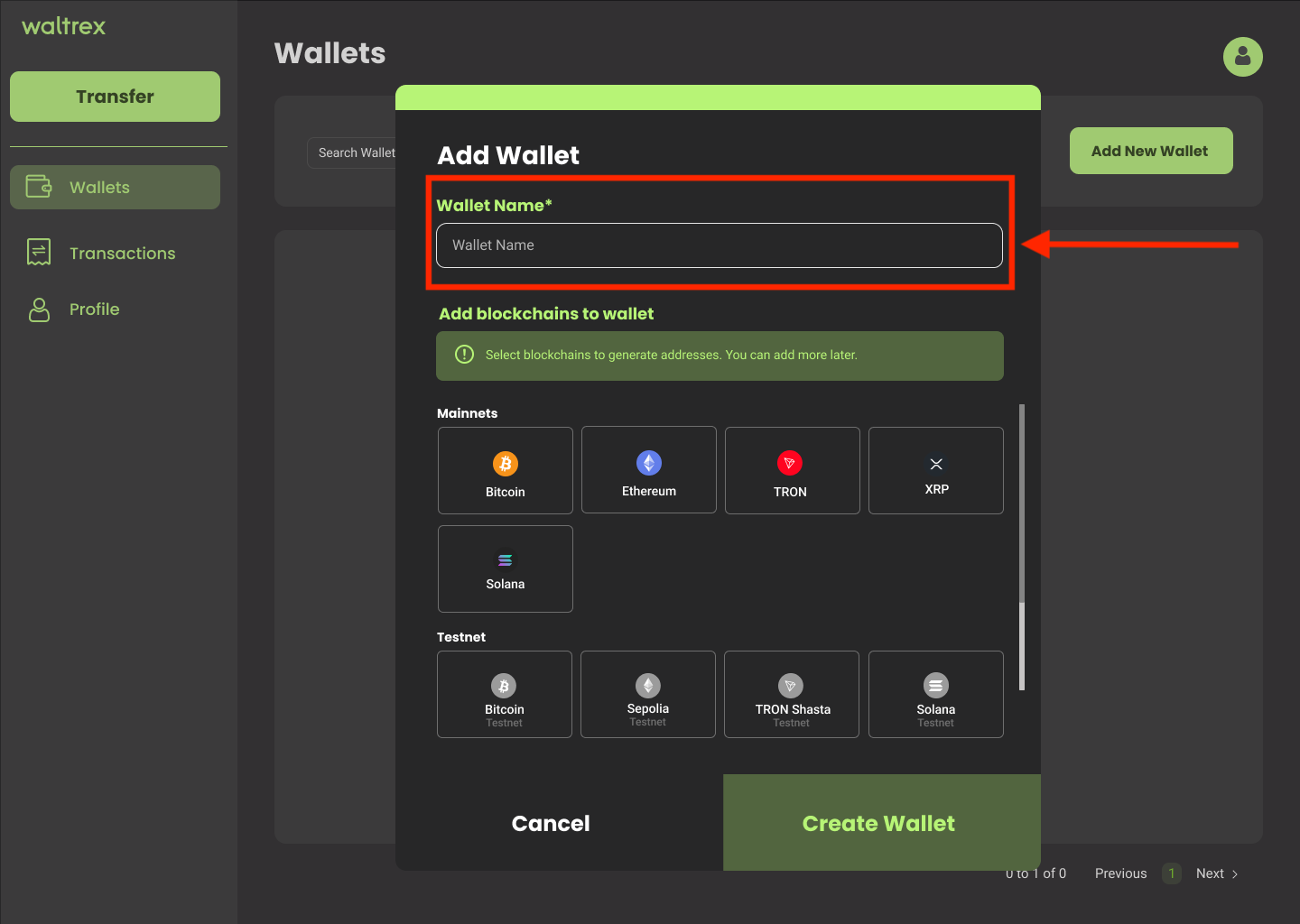
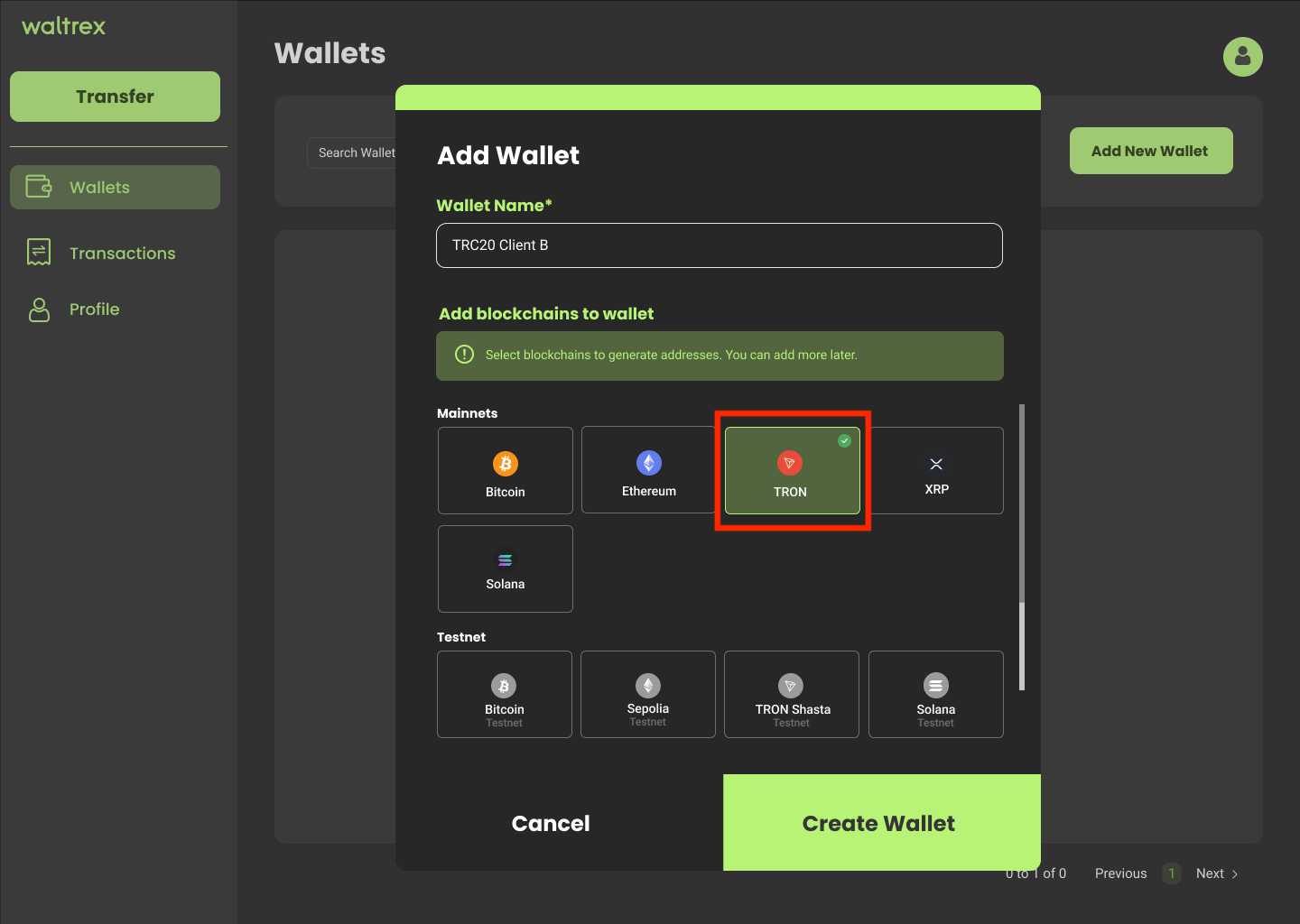
4. Select one or more blockchains in order to create a unique address for each blockchain. All addresses will be created inside this wallet.
NOTE: If you only select one blockchain, additional blockchains can be added to the wallet later.
5. Click on "Create Wallet"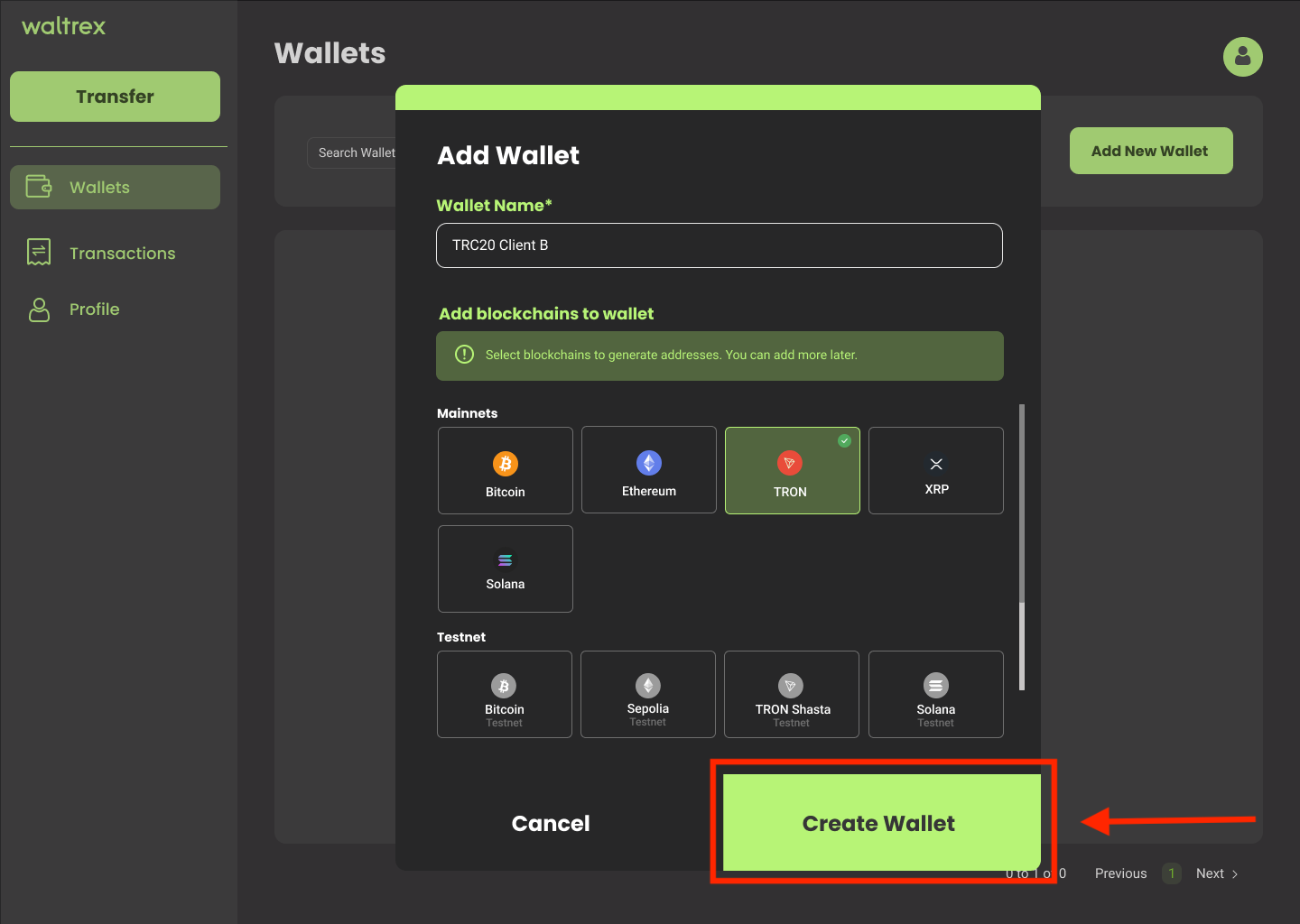
6. Congratulations, you have created a New Wallet. You can verify your new wallet creation on your dashboard, under "My Wallets" sections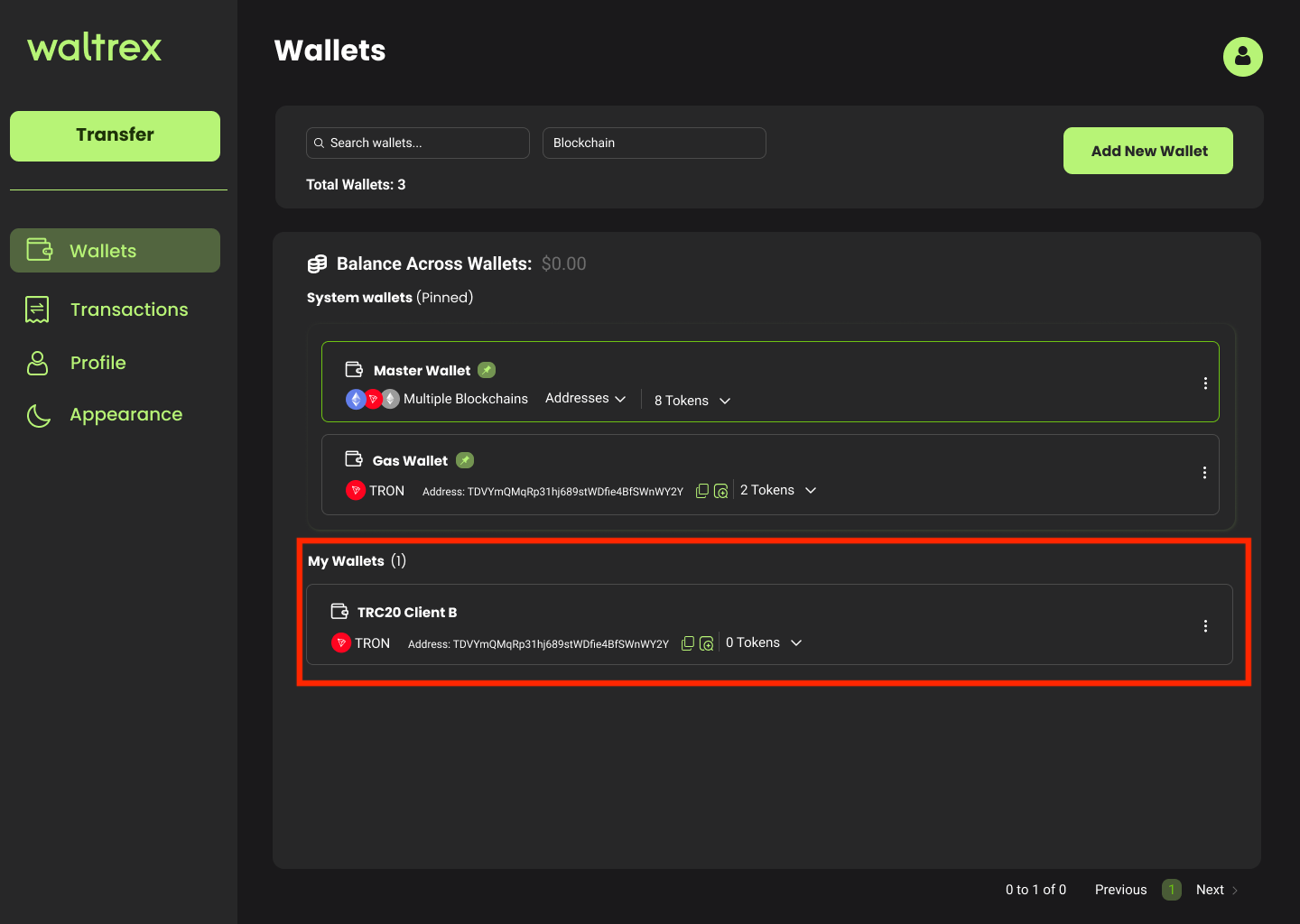
Was this article helpful?
That’s Great!
Thank you for your feedback
Sorry! We couldn't be helpful
Thank you for your feedback
Feedback sent
We appreciate your effort and will try to fix the article